![download.png]](https://support.yaktrak.com.au/hs-fs/hubfs/download.png?height=40&name=download.png)
To remove someone's coach access from your team:
- Click "Team Dashboard"
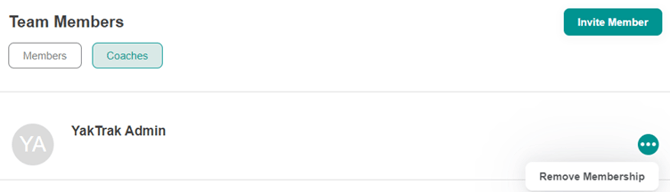
- Navigate to the ''Team Members'' widget and click ''Coaches''
The ''Coaches'' tab will only appear on your ''Team Members'' widget if a member has 'coach' access to your team.
- Click on the ellipses ".." across the team members name.
- Click "Remove Membership"
- A pop up box will appear asking you to confirm your action of removing membership
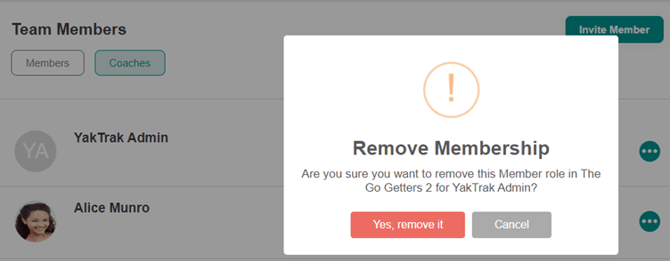
- Click on "Yes, remove it", and the user will no longer have access to your team.