![download.png]](https://support.yaktrak.com.au/hs-fs/hubfs/download.png?height=40&name=download.png)
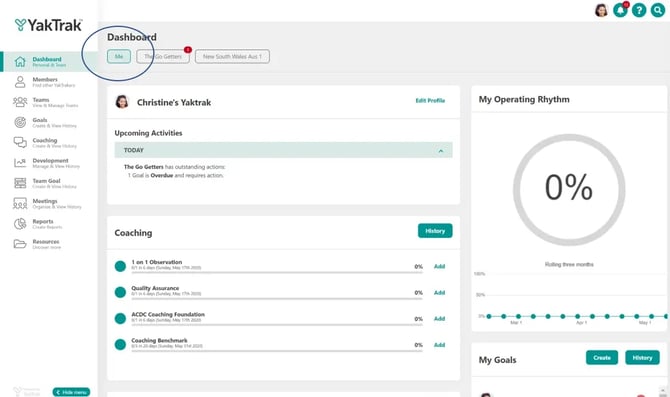
Step 1: Go to your Goals
- From the YakTrak main menu, click Goals (or the exact menu name used in your portal).
- You’ll see your existing goals and their statuses.
Step 2: Start a new goal
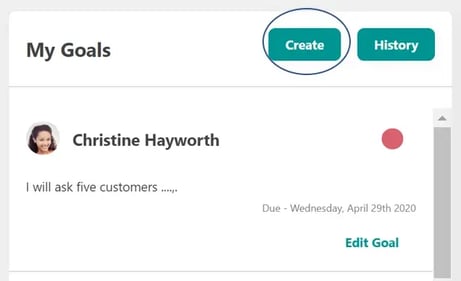
- On the Goals page, click Create goal or New goal.
- Choose Personal goal (if you’re prompted to choose between personal or team goals).
Step 3: Enter your goal details
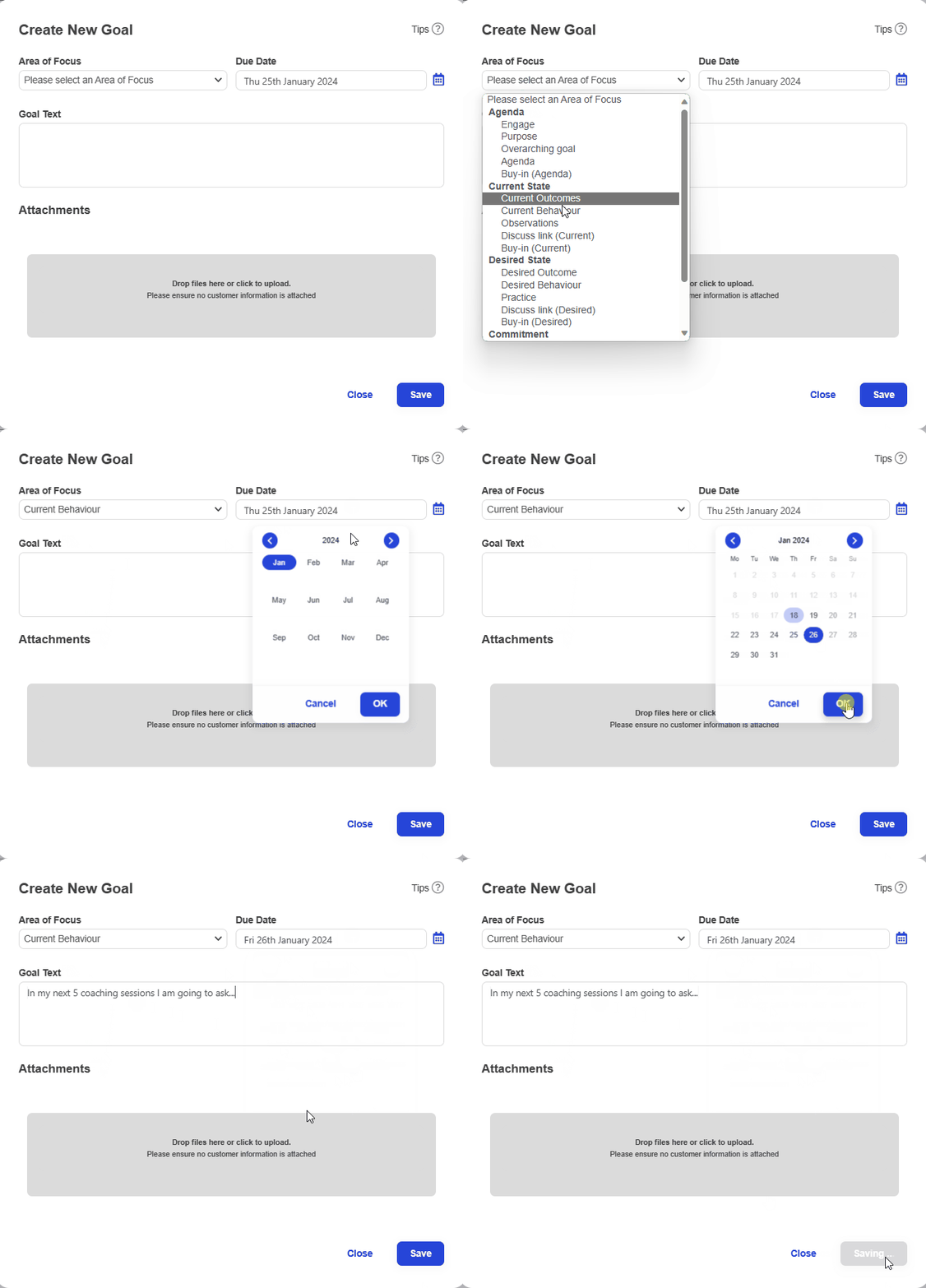
Fill out the goal form fields. Typical fields include:
- Goal name – give your goal a clear, specific title (e.g. “Complete 10 quality coaching sessions per fortnight”).
- Goal type / metric – select what you’re measuring (e.g. sessions, behaviours, calls, etc.).
- Target value – enter the number or level you’re aiming for (e.g. 10 sessions).
- Due date – choose the time period for your goal.
- Skillset or area of focus – pick the Skillset this goal relates to so your coaching targets the right skills.
- Description / notes – briefly explain why this goal matters or any context your leader should know.
Step 4: Save your goal
- Review your details.
- Click Save or Create to create your goal.
Your new goal will now appear in your Goals list. As you work, YakTrak will track your progress against the target and surface it in relevant coaching and reporting views.