![download.png]](https://support.yaktrak.com.au/hs-fs/hubfs/download.png?height=40&name=download.png)
- On the Main Menu, click on 'Teams'.
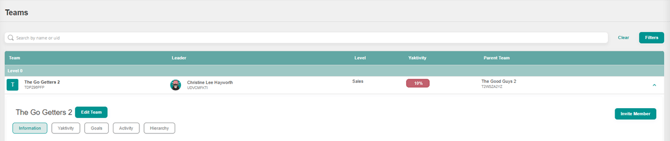
- Click on the team name you wish to update, this will open the team details
- Click on 'Edit Team' button next to the team name as shown below
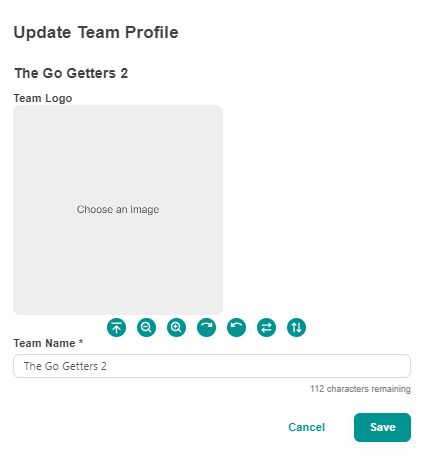
- A pop up window will appear, update the "Team Name' field as shown below and click 'Save'.
- You will now see the updated name on your 'Teams' page and your 'Leader Dashboard'